Using the

Using the KKP Better App

Your complete guide to a Better experience

How can we help you?

KKP Better Loan

KKP Better Loan

How to Apply for KKP Better Loan

Apply easily via the KKP Better App.

Step 1

Step 1

Go to the “Asset” menu and select “KKP Better Loan”.
Step 2

Step 2

Review product details, then tap “Apply Now!”.
Step 3

Step 3

Fill in your occupation information and workplace address.
Step 4

Step 4

Fill in your registered address, current address and mailing address, then tap “Next”.
Step 5

Step 5

Fill in your contact person's information. Once completed, tap “Next”.
Step 6

Step 6

Review and accept the terms and conditions, consent then tap “Next”.
Step 7

Step 7

Review information about consent for information disclosure via internet then select "Accept" or "Decline". 
Step 8

Step 8

Request bank statements for the past 6 months via dStatement (If applicable).
Step 9

Step 9

Select up to 1 banks for data requests, then tap “Next”.
Step 10

Step 10

Enter your PIN to confirm.
Step 11

Step 11

You'll be redirected to the selected bank's application (when requesting dStatement from other banks).
Step 12

Step 12

Once you've received the dStatement bank records, tap "Next".
Step 13

Step 13

Review all information again, then tap "Confirm".
Step 14

Step 14

Enter your PIN to confirm the KKP Better Loan application.
Step 15

Step 15

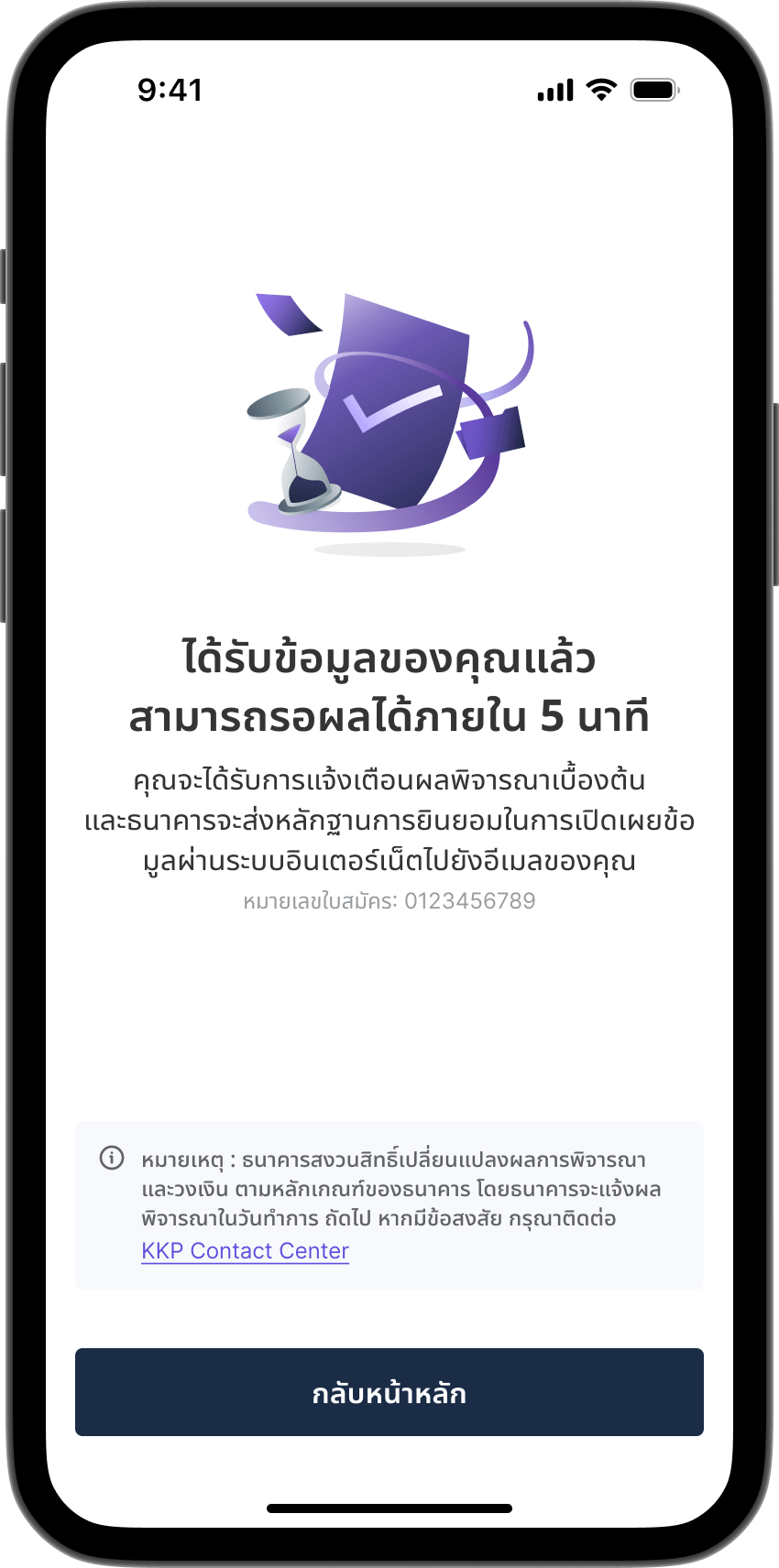
Wait for loan approval results within 5 minutes.
Step 16

Step 16

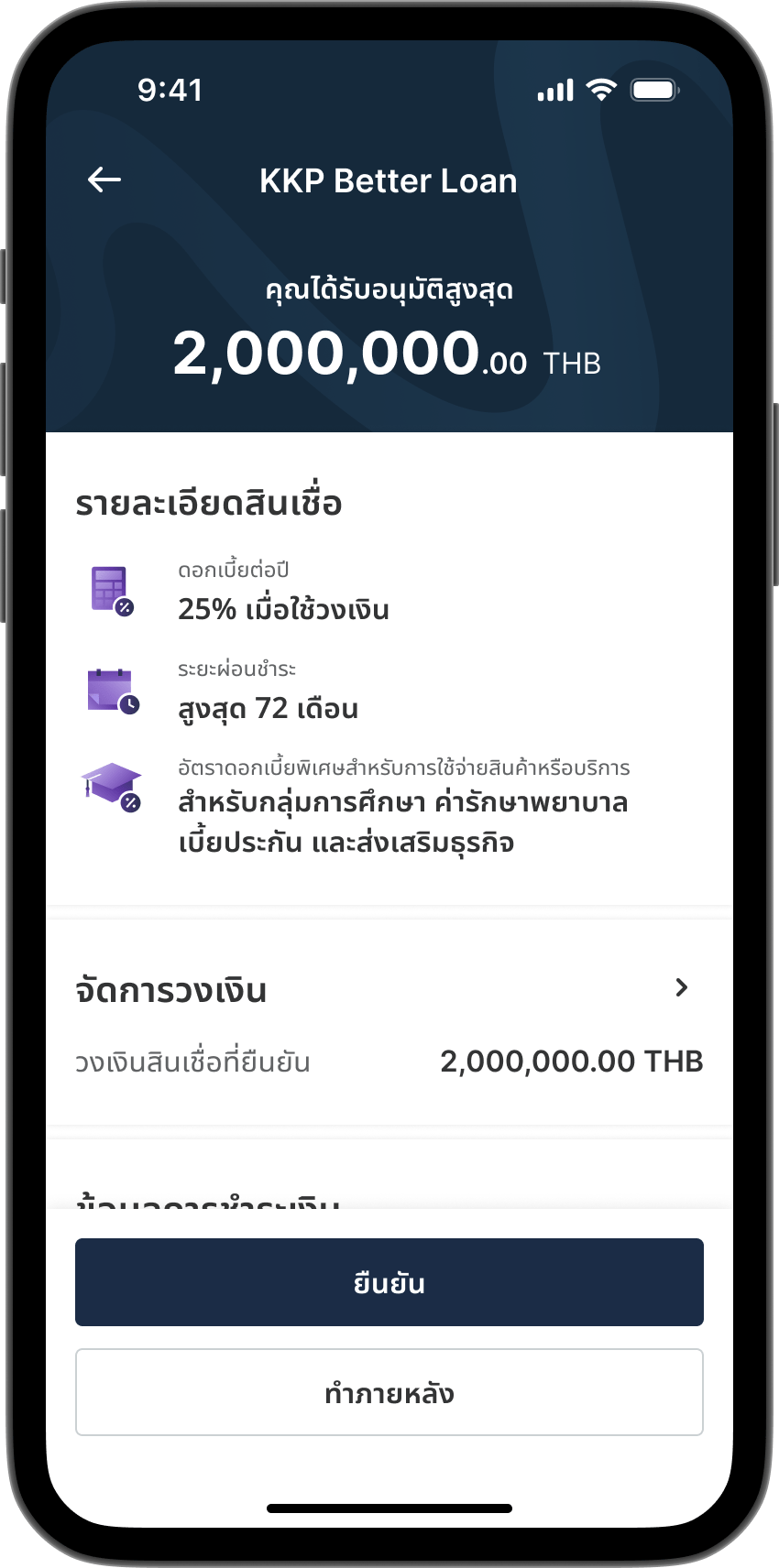
After loan approval, tap "Loan Details" for more information.
Step 17

Step 17

On the loan details page, you'll see approved credit limit, interest rate, and repayment period. You can adjust your credit limit, billing cycle, and auto-debit account, then tap "Confirm".  
Note: Please accept your credit limit within 5 days of loan approval. Auto-debit account must be register before credit limit confirmation.
Step 18

Step 18

Enter your PIN to accept the KKP Better Loan credit line.
Step 19

Step 19

KKP Better Loan application completed. Tap “View Loan Details” for more information.
Step 20

Step 20

KKP Better Loan details will appear in the “My loan” menu.