Using the

Using the KKP Better App

Your complete guide to a Better experience

How can we help you?

Deposit

Deposit

How to Exchange Currency

Exchange foreign currencies 24/7 on the KKP Better app.

Step 1

Step 1

 Go to the "Cash" menu and select the account you want to exchange.
  • From THB to foreign currency: Select THB account, tap "More", then "Exchange"
  • From foreign currency to THB: Select FCD account, choose the currency, then tap "Exchange"
Step 2

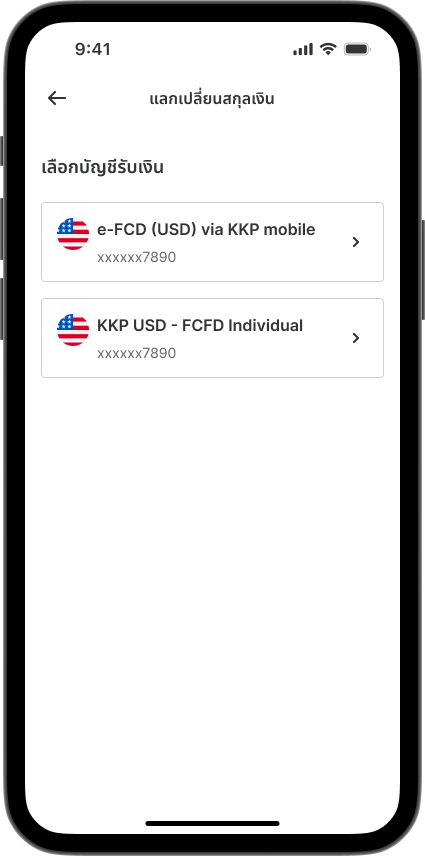
Step 2

Select the destination account (if you have multiple eligible accounts).
Step 3

Step 3

Enter the amount.
Note: Up to 3 million baht per transaction.
Step 4

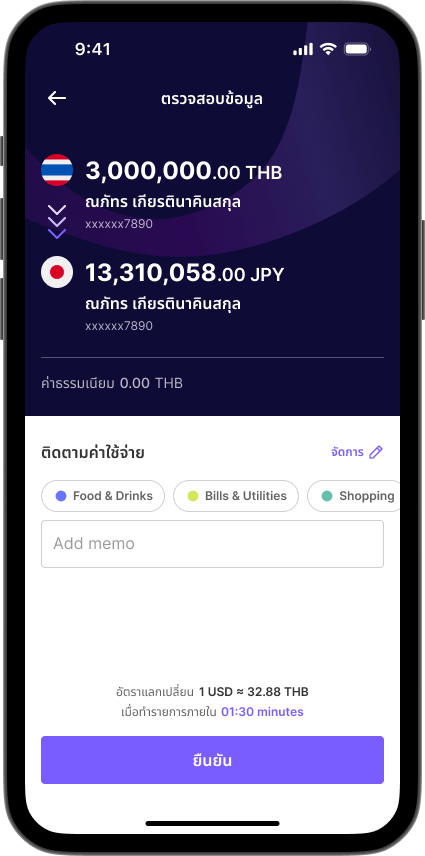
Step 4

Review all information, then tap "Confirm".