Using the

Using the KKP Better App

Your complete guide to a Better experience

How can we help you?

KKP Better Loan

KKP Better Loan

How to Withdraw Money to Account

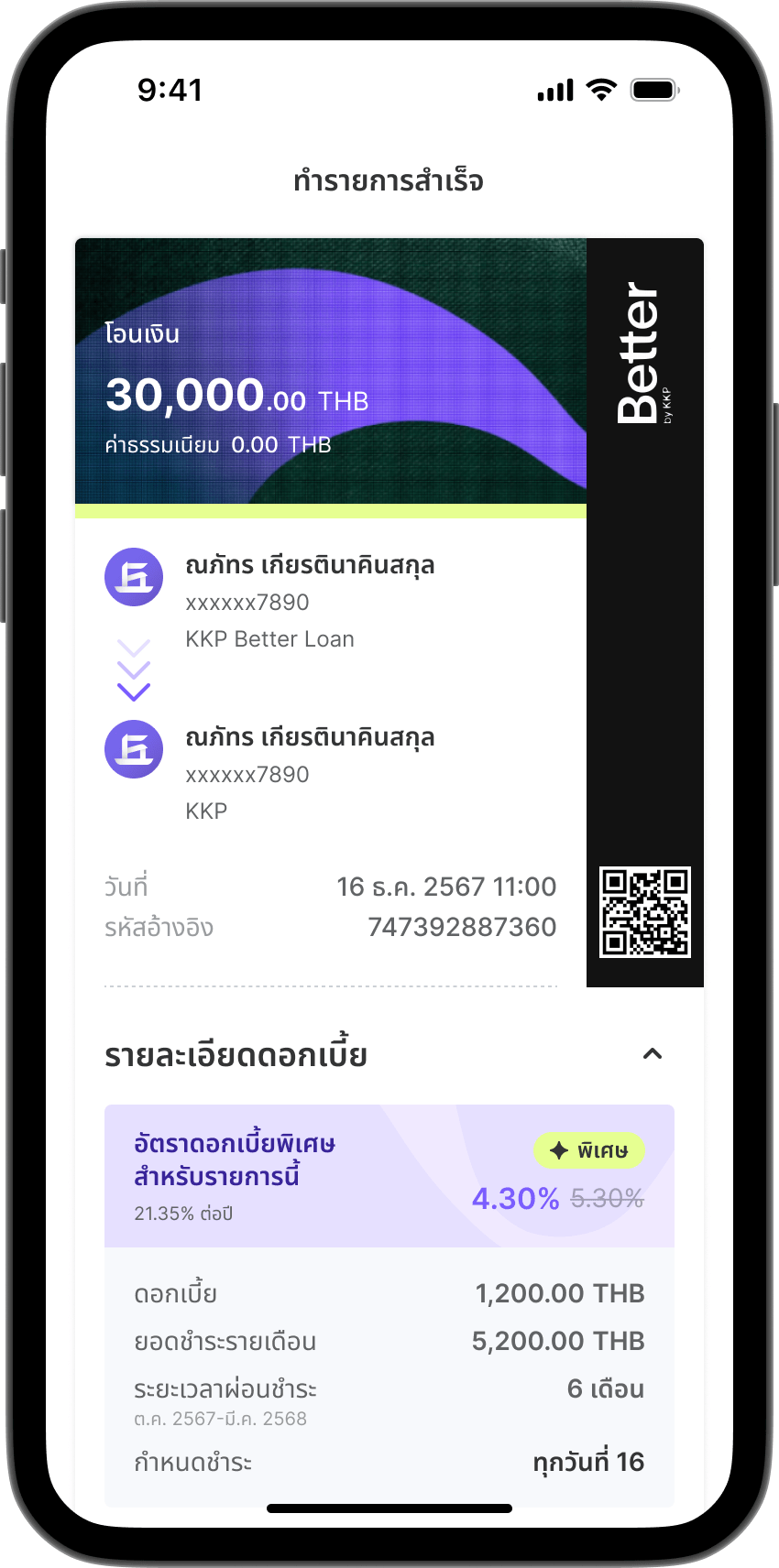
For “monthly” repayment plan.

Step 1

Step 1

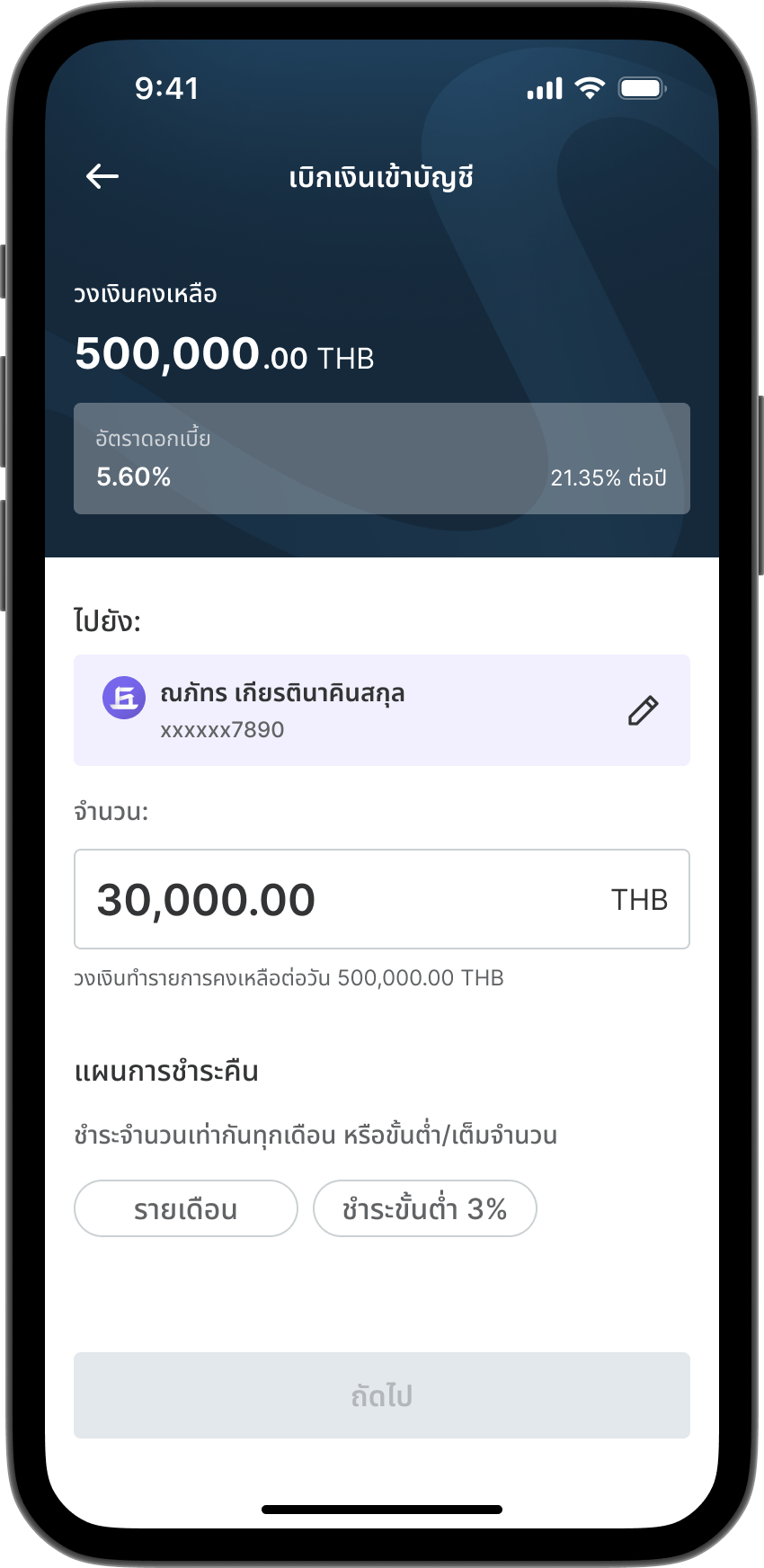
Go to menu "Withdraw to Account".
Step 2

Step 2

Enter the withdrawal amount.
Note: Installment payment is not available for withdrawals under 500 Baht.
Step 3

Step 3

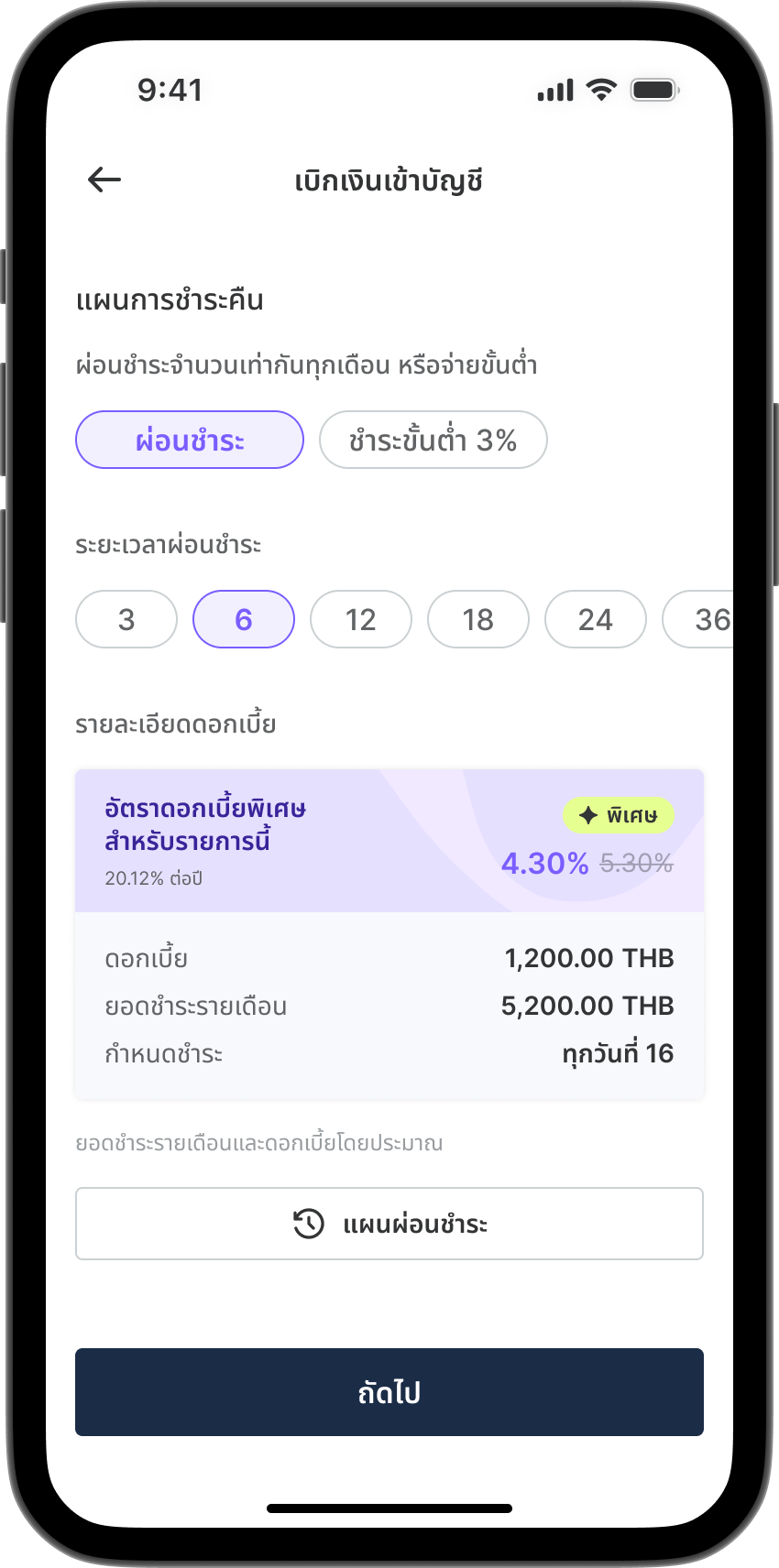
Select “Monthly” repayment plan. 
If a special interest rate is available, the details will be displayed.
Step 4

Step 4

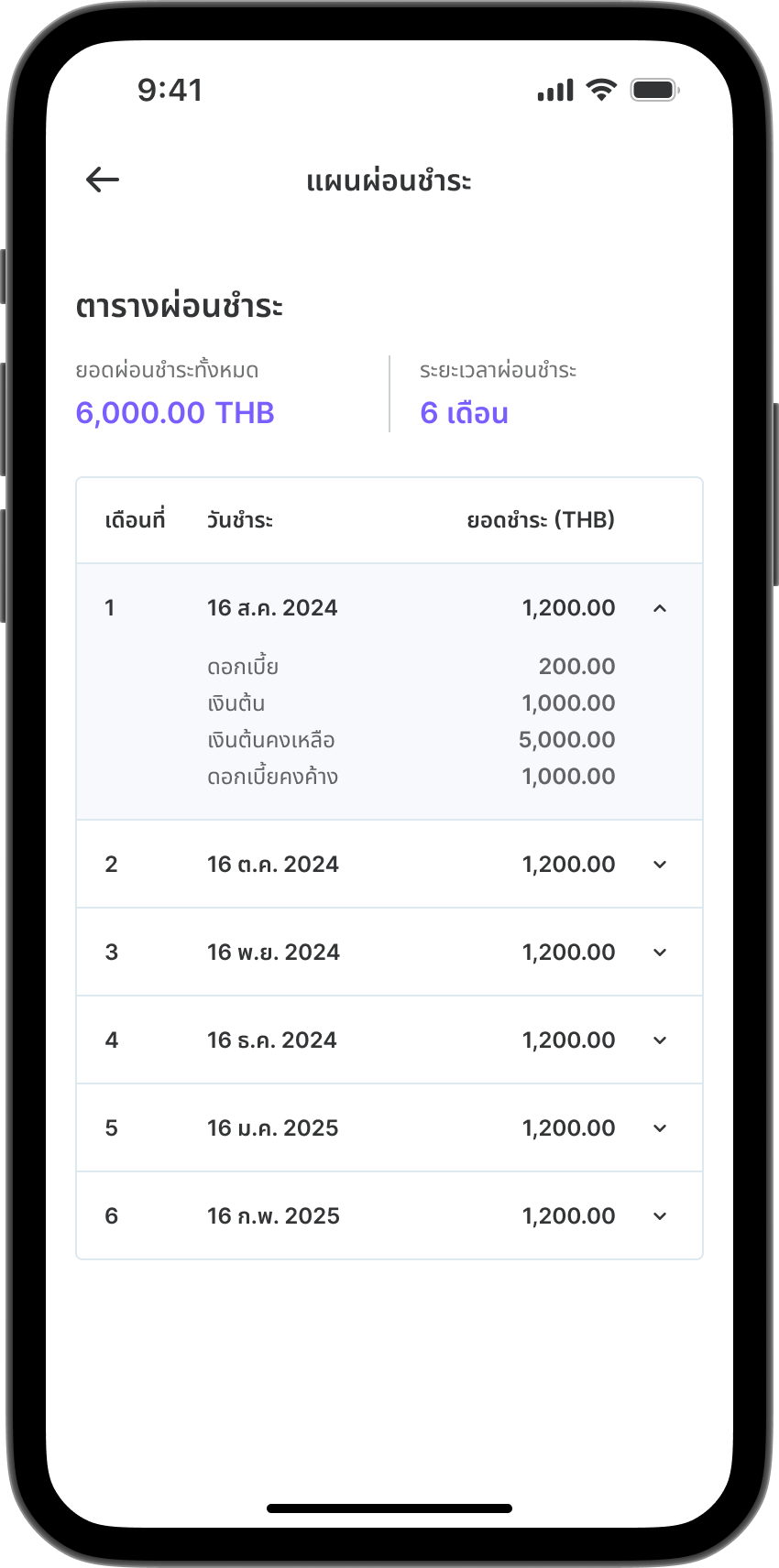
If you select monthly repayment, you can view the installment plan details.
Step 5

Step 5

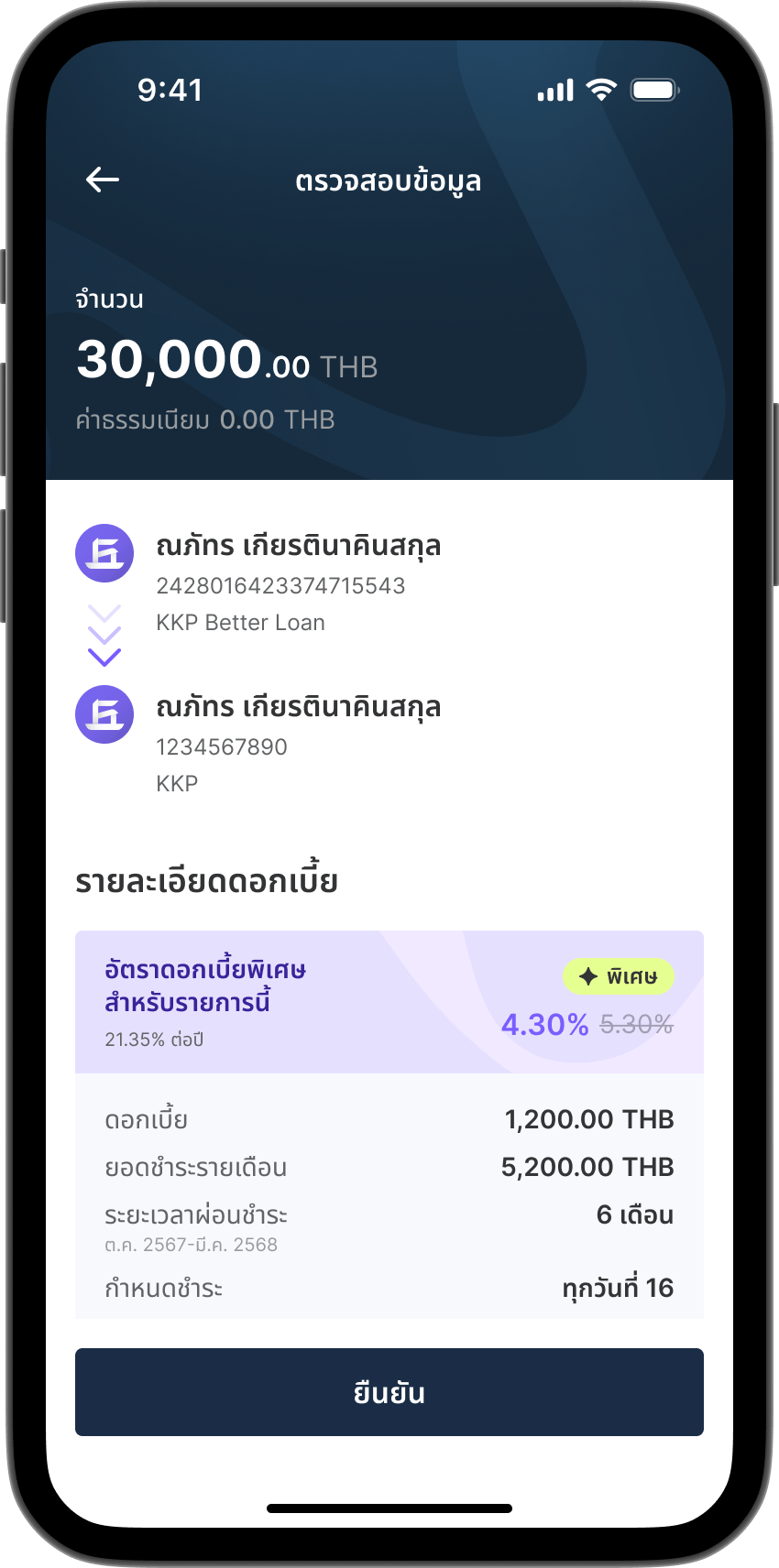
Review all information and tap "Confirm".
Step 6

Step 6

Transaction completed.

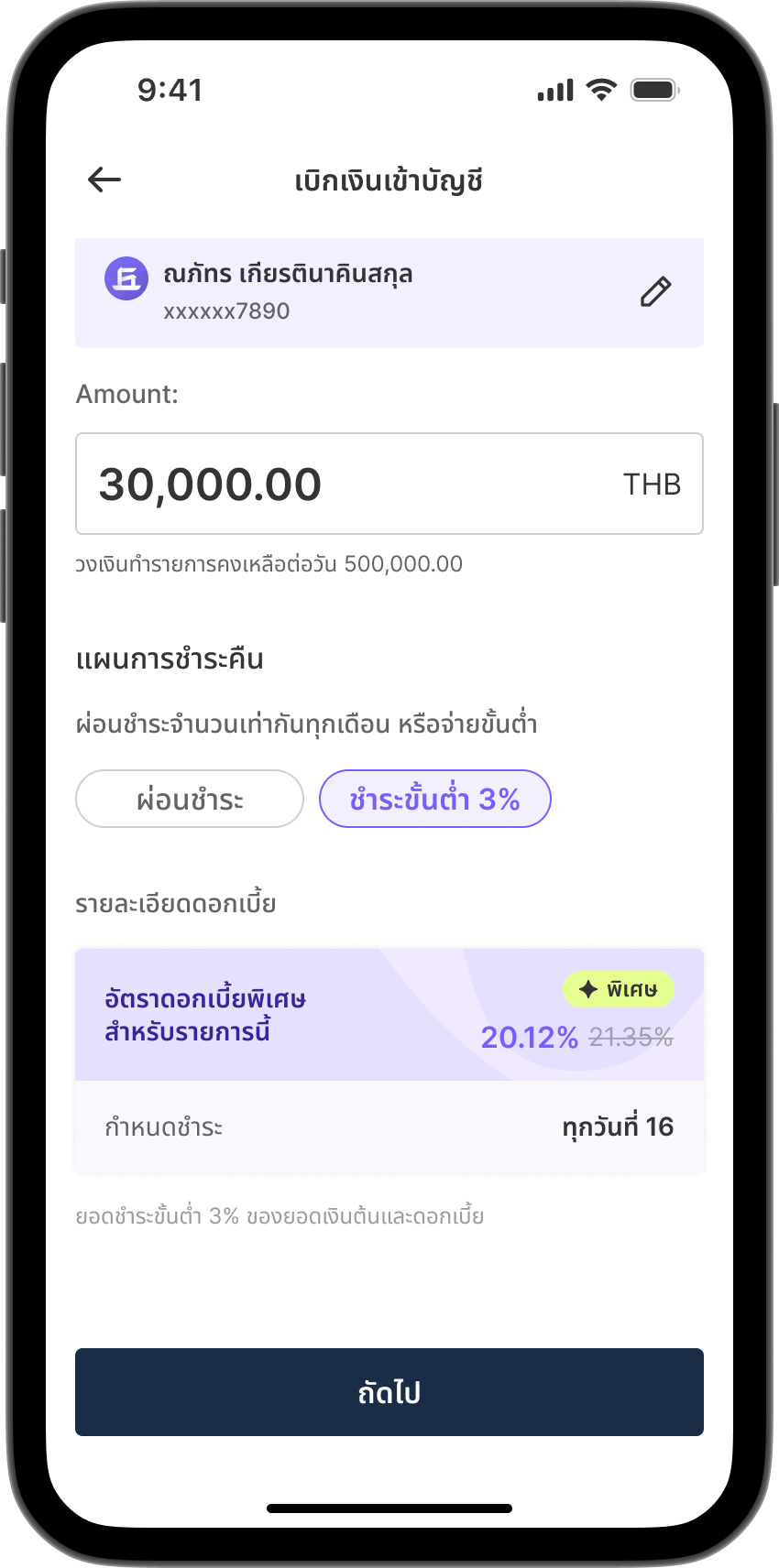
For “Minimum or full payment ” repayment plan.
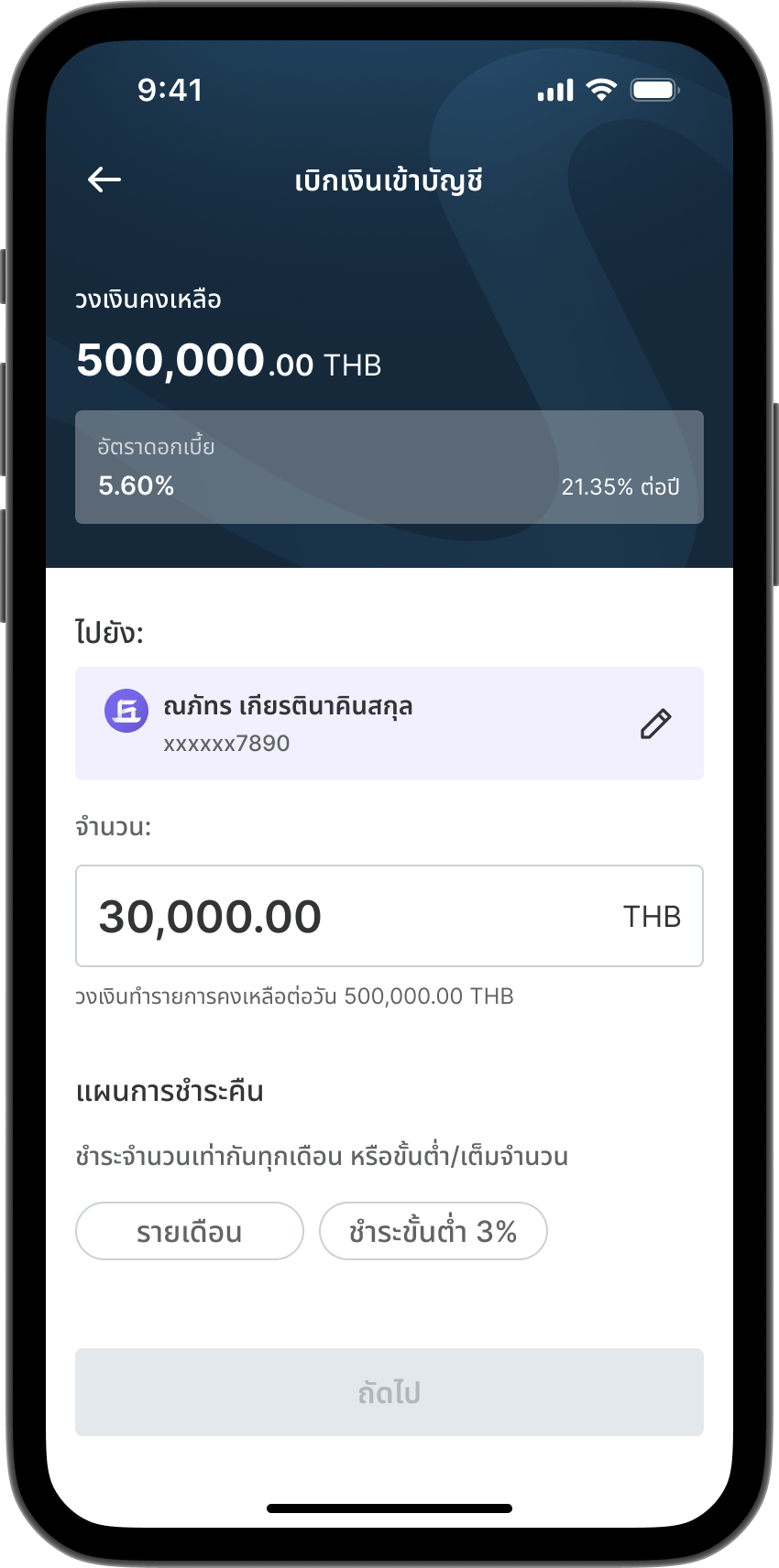
Step 1

Step 1

Go to menu "Withdraw to Account".
Step 2

Step 2

Enter the withdrawal amount.
Step 3

Step 3

If you Select “Minimum” repayment plan. Minimum payment is 3% of interest and principal. 
 If a special interest rate is available, the details will be displayed. 
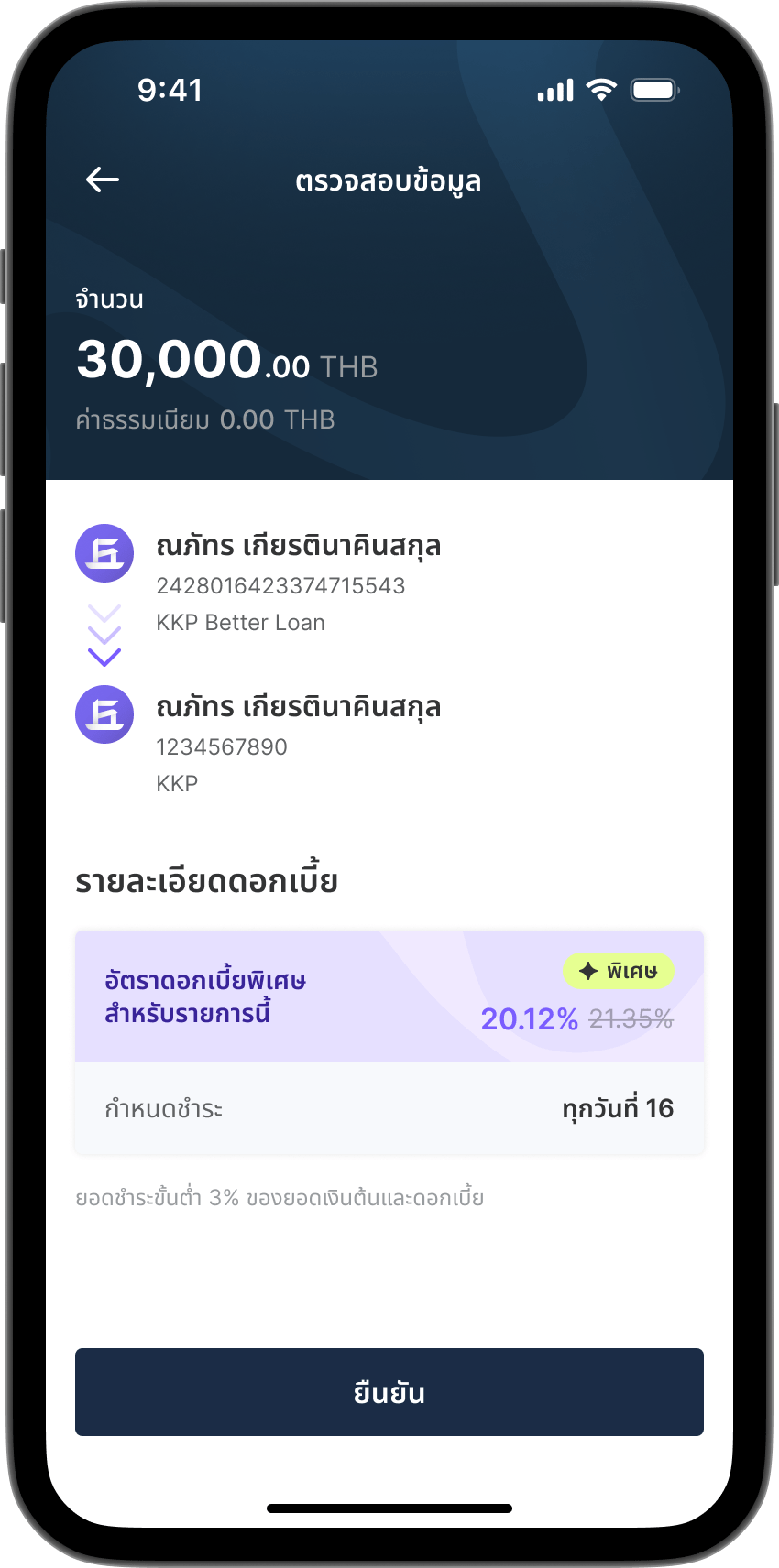
Step 4

Step 4

Review all information and tap "Confirm".
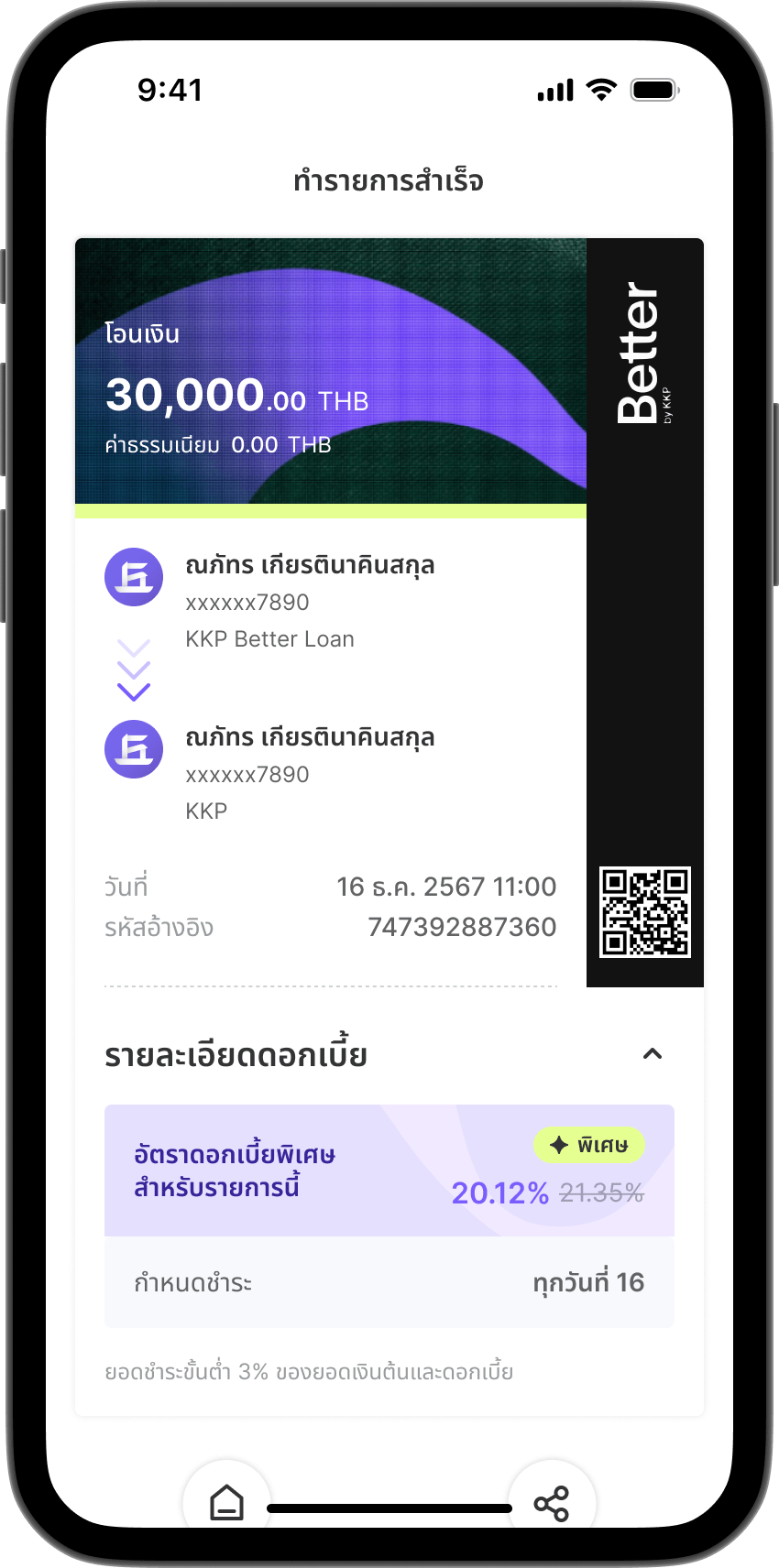
Step 5

Step 5

Transaction completed.